picoCTF 2021 - Wireshark doo dooo do doo...
Write-up | picoCTF 2021 | Wireshark doo dooo do doo…
Description
Can you find the flag? shark1.pcapng
Hint: (none)
Walkthrough
This is a .pcapng file, so I opened it in Wireshark as usual.
Scrolling down the list to see some packets, I saw no abnormalities. Then, I decided to see the protocol stats by clicking Statistics (on the menu bar) -> Protocol Hierachy.
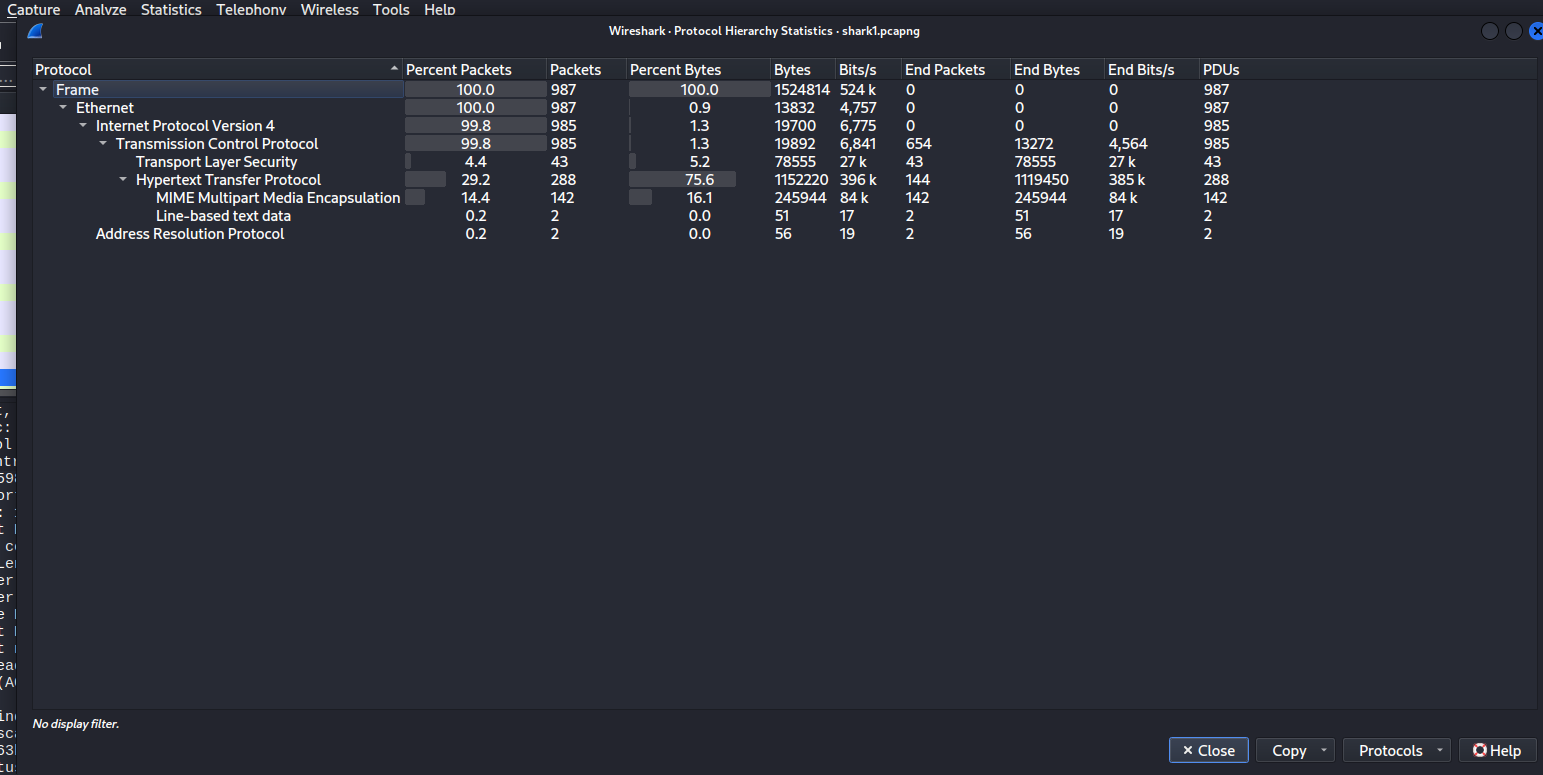
In the table, we can see that Hypertext Transfer Protocol (HTTP) accounts for nearly 30% of protocols.
In fact, HTTP packets can contain plaintext, which is at the other end of the spectrum compared to HTTPS (encrypted HTTP). For that reason, I focused on these packets first.
I typed http in the query box to display only HTTP packets.
After that, click the Info column. It would sort the list, moving GET packets to the top. In HTTP, GET packets often contains sensitive information from the user, since HTTP is not encrypted at all. This can be also applied to POST packets (in the “Message Body” part), too. However, I would like to check GET ones first.

We have two packets to pay attention. Let’s “follow” each one.
For each packet, right-click on them, click Follow -> HTTP stream.
This is the result of the first packet:
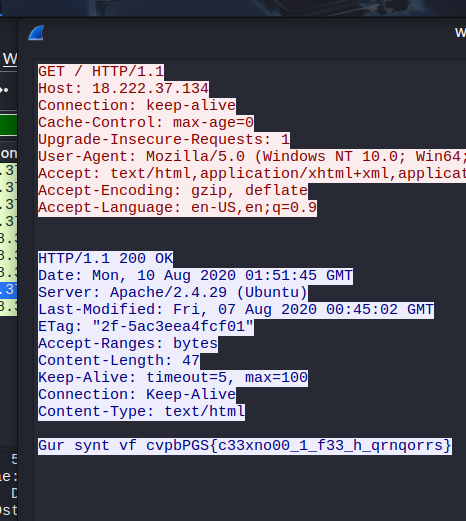
Take a look at the last line. The content was kind of encoded, but because of the format (cvpbPGS is like picoCTF, plus the {}), it should be the flag that we need. I suspected this was encoding in ROT13, so I brought this to CyberChef and got the flag:
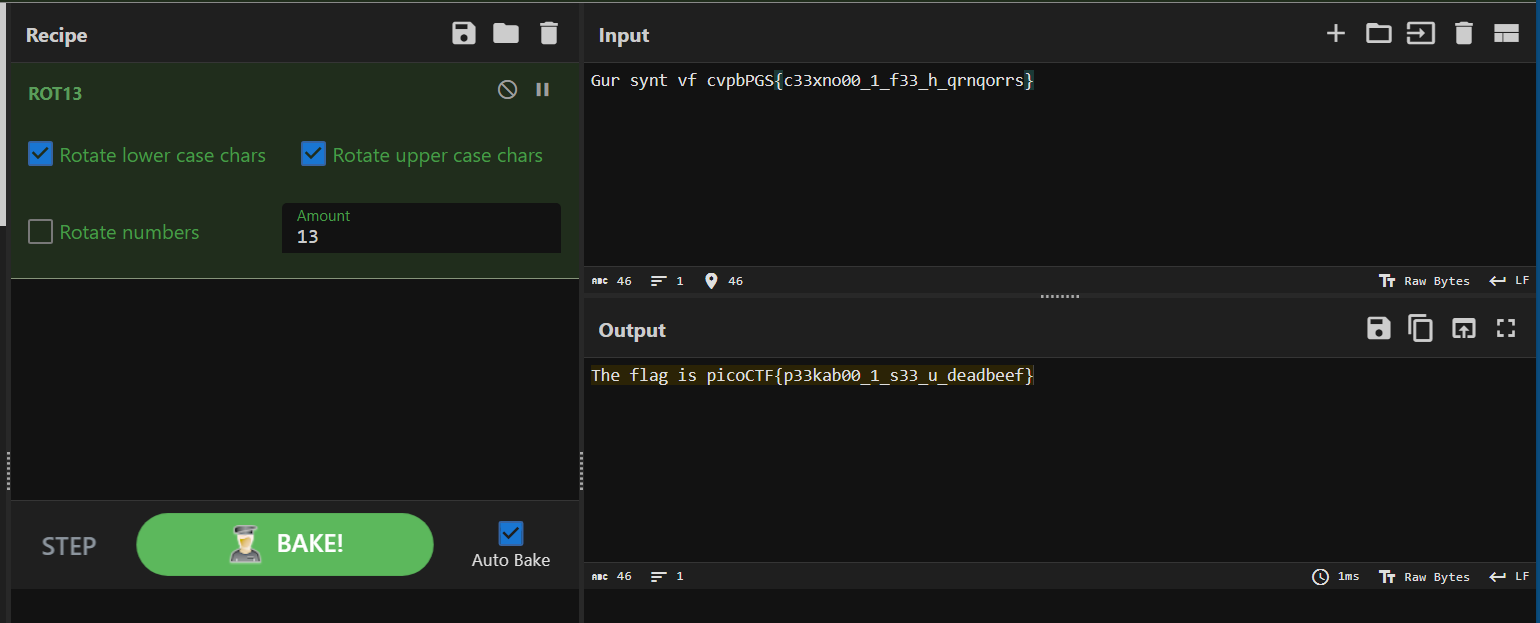
Flag
picoCTF{p33kab00_1_s33_u_deadbeef}
Commands/Tools used
Commands/Tools Purpose(s) Wireshark A tool to analyse captured network packets ( .pcapand.pcapngfiles).
Key takeaways/Lessons learned
- HTTP packets can be the key: Since these packets are not encrypted, it may contain sensitive data.