picoCTF 2023 - UnforgottenBits
Write-up | picoCTF 2023 | UnforgottenBits
Description
Download this disk image and find the flag.
Hint: There are no hints here, but there are plenty on the disk!
Artifacts/Infrastructures
- Artifacts: Compressed disk image.
Initial steps
As usual, after unzipping I did fdisk -l disk.flag.img to see the partition table:
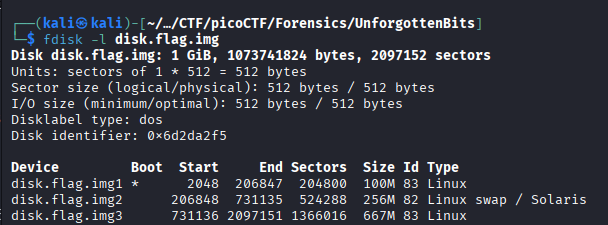
I utilized dd (you can see an example of how to use dd here) to extract these three partitions.
I strings-ed the swap partition, which is the second one (see the reason here) to check if there was any flag there:
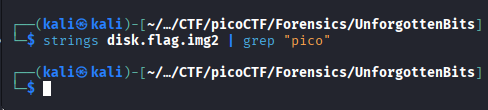
Sadly, nothing special appeared. This is a “Hard”-tagged challenge, so there’s no way we can get the flag that easy, am I right?
Let’s move on to .img1 and .img3. I did fls -r disk.flag.img1 and fls -r disk.flag.img3, respectively.
No valuable things were found in the first one, since this is the boot partition. 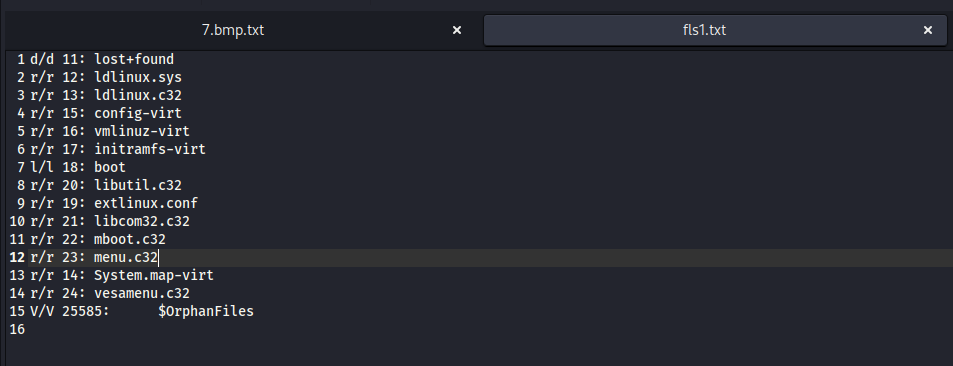
However, a suspicious folder named “yone” really caught my eye. Regardless of that fact, I checked .ash_history first as a norm. 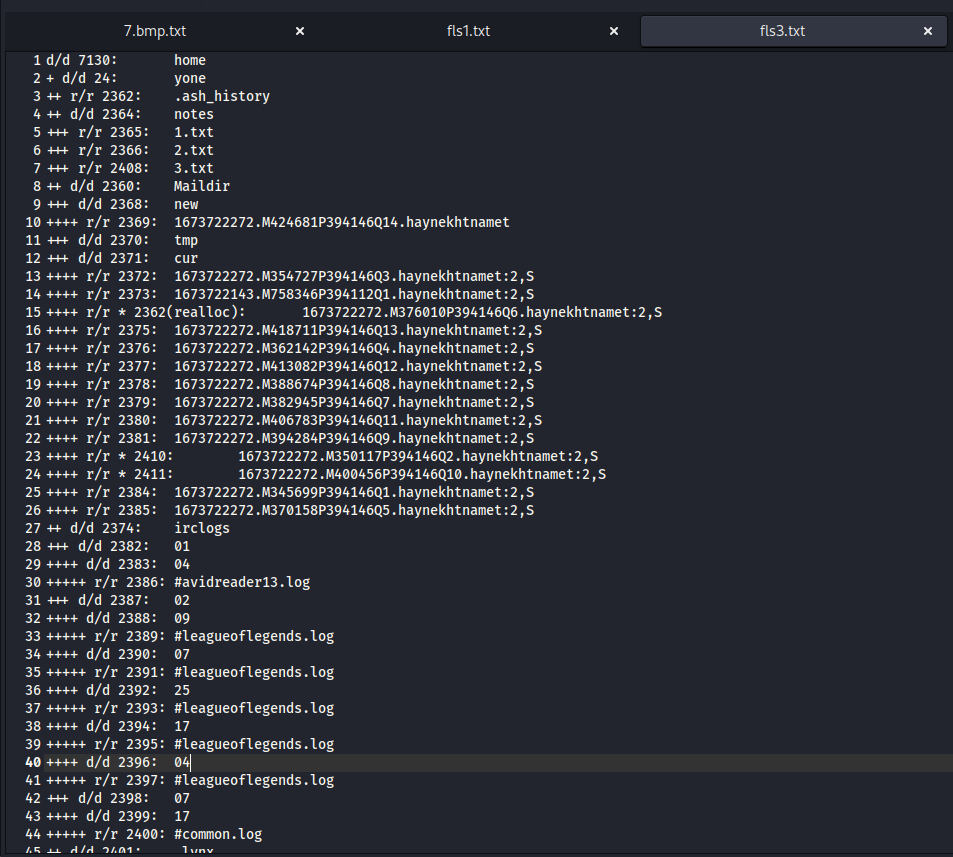
I used icat to extract .ash_history to a .txt file. Then, I was disappointed because it only contained a su (switch user) command:

Our eyes are now on the yone directory. Take a look at it: 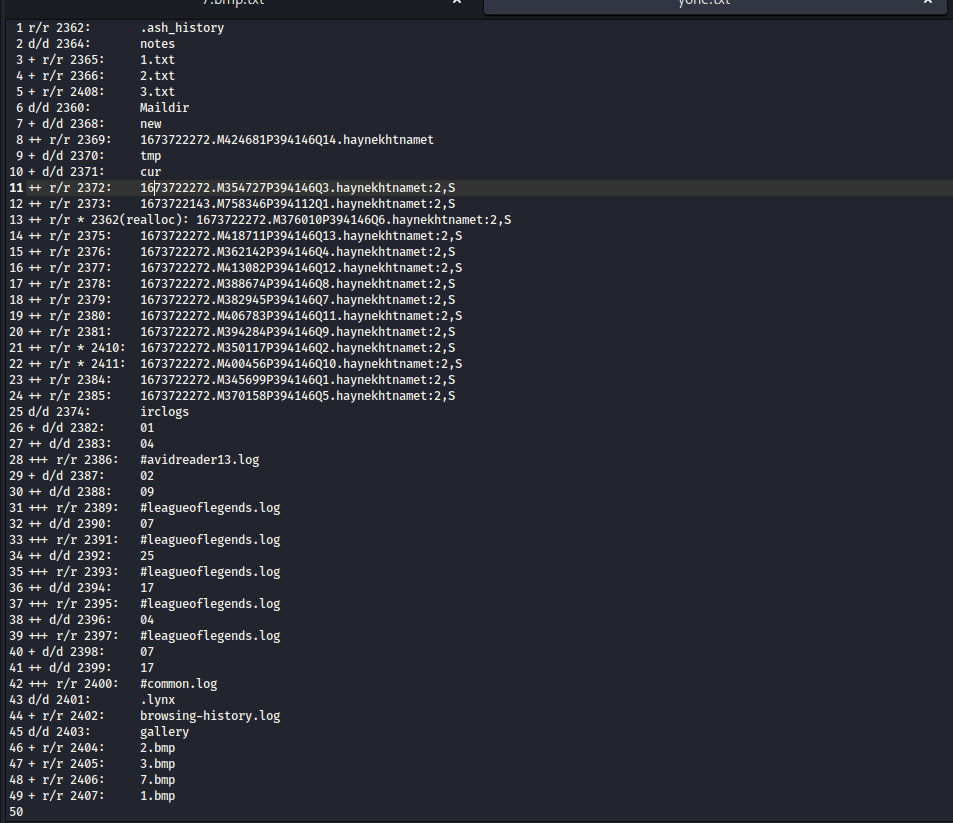
Using icat, I extracted all of the existing file there. A lot of these were red herrings, but there were also key clues that could help us.
#avidreader13.log:
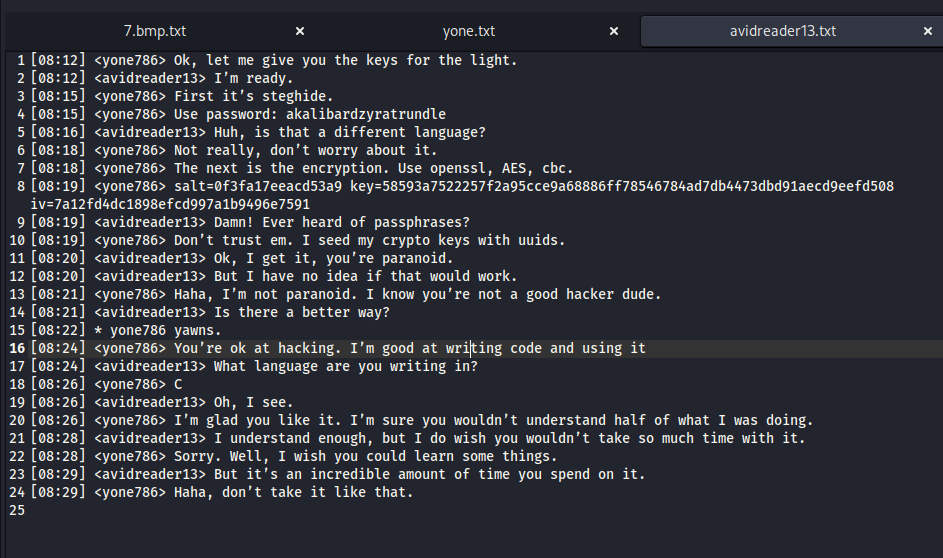
- The
steghidepassword is “akalibardzyratrundle”
NOTE: We can break this down to : “akali”, “bard”, “zyra”, and “trundle”. These are names of four “champions” in League of Legends.
- The encryption was done with
openssltool; the algorithm wasaesand the mode of operation for block ciphers wascbc. - The configuration of the encryption session was: salt=0f3fa17eeacd53a9; key=58593a7522257f2a95cce9a68886ff78546784ad7db4473dbd91aecd9eefd508; iv=7a12fd4dc1898efcd997a1b9496e7591
- User “yone786” used C programming language, but I was not sure where the program was.
3.txt:

yasuoaatrox
Based on the password that we got from #avidreader13, it seemed like this password needed two more champion names to got the full password.
browsing-history.log:
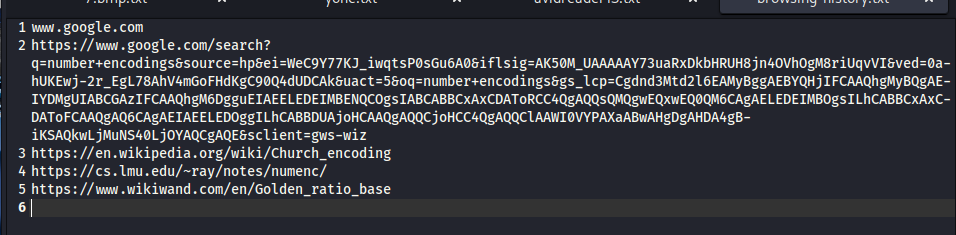
I suspected these were some types of algorithm that someone used to encode data. We will need these later.
1673722272.M424681P394146Q14.haynekhtnamet (inode number 2369)
I found lots of spam mails in the directory, but there was one that stood out:
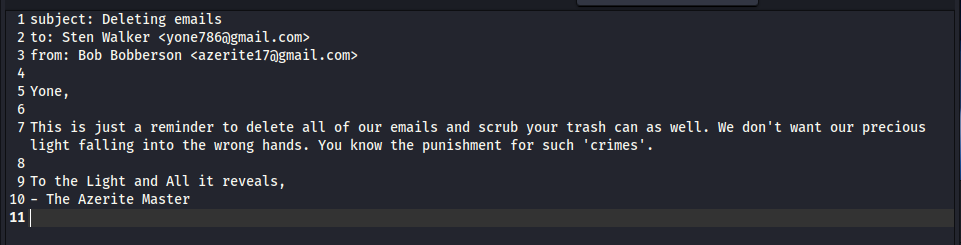
I noted the email address of the sender and receiver: yone786@gmail.com and azerite17@gmail.com. We can make use of these later on Autopsy.
.bmp images
At the last lines, we got four .bmp images, namely 1.bmp, 2.bmp, 3.bmp and 7.bmp. Using icat once again, I had these:
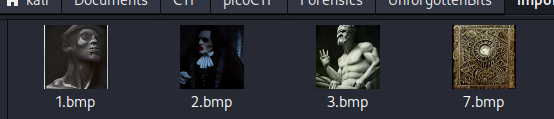
With the found steghide password, we can extract data from these images.
Vulnerability analysis
Potential vulnerabilities
- steganography
- AES encryption
Solution paths
Let’s begin with .bmp files. The command to be executed was:
steghide extract -sf <bmp_file_name> -p akalibardzyratrundle
extract -sf: extract stego-file (file that contains secret)-p: password
The extraction was successful, except for 7.bmp file. The new three files that I got were .enc files, so I guessed I have to decrypt these using AES configuration that I found.
The decryption command was:
openssl enc -d -aes-256-cbc -in <enc_input_file> -out <txt_output_file> -K 58593a7522257f2a95cce9a68886ff78546784ad7db4473dbd91aecd9eefd508 -iv 7a12fd4dc1898efcd997a1b9496e7591
enc: Using “Symmetric Cipher Routines”.-d: Decryption.aes-256-cbc: AES algorithm, 256-bit key, Cipher Block Chaining operation.-K: Secret key in HEX format (different from-k).-iv: Initialization Vector written in HEX format. This helps CBC work since CBC uses XOR (I recommend doing some research on this).
After this step, I had three plain-text files, namely dracula.txt, frankenstein.txt, and les-mis.txt.
Seemed like these files were just excerpts of Dracula, Frankenstein and Les Misérables eBooks:
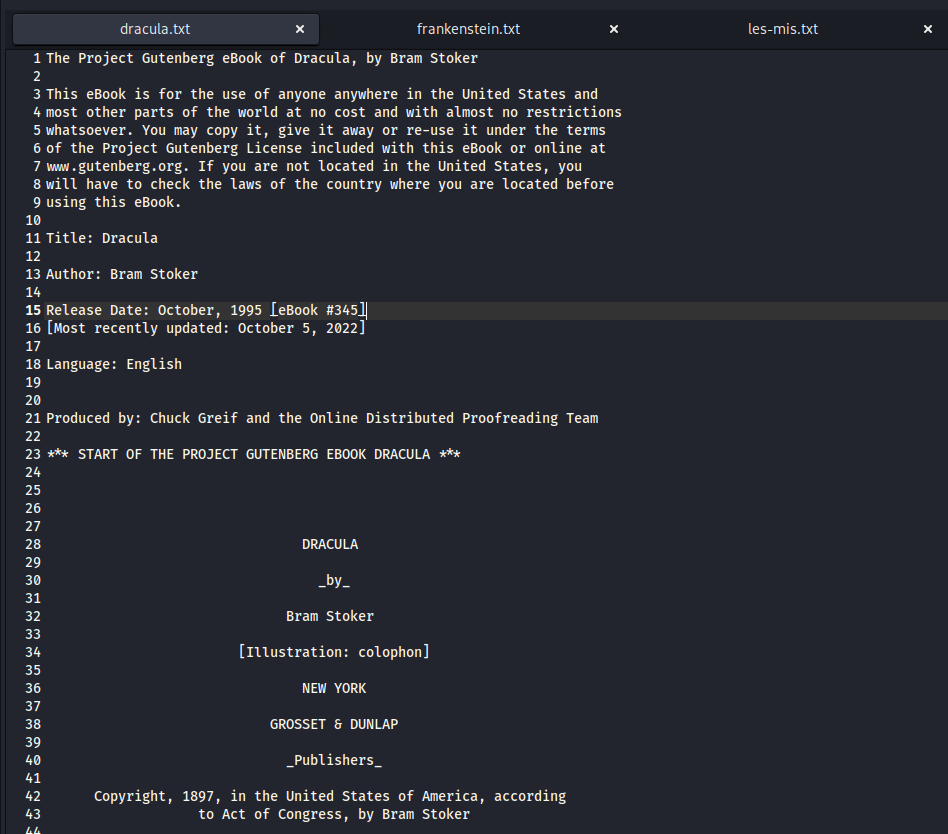
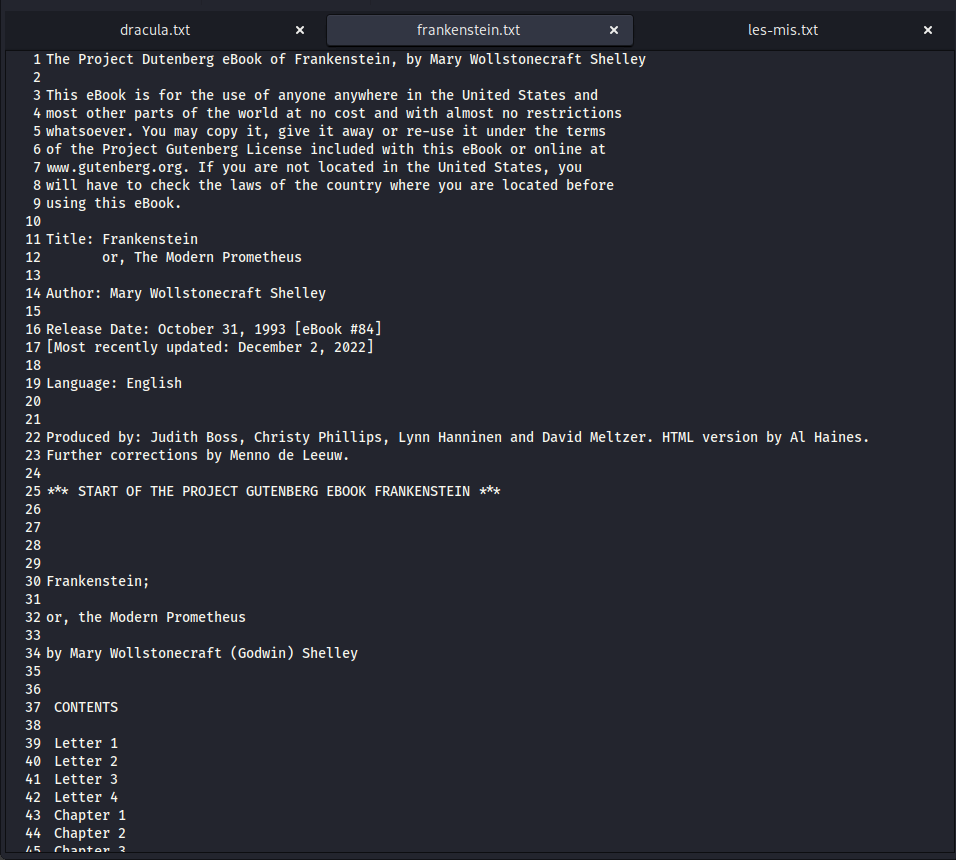
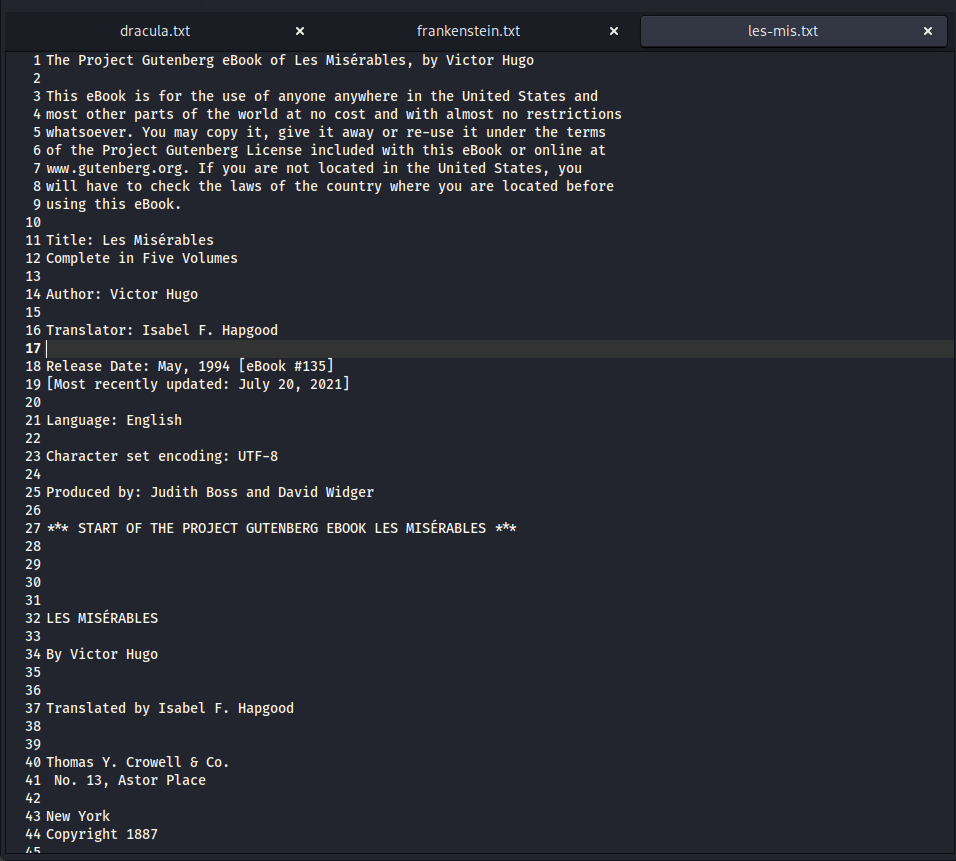
You can try surfing through each file, but I guarantee you cannot find anything that can help you.
Now our goal is to get the file hidden in 7.bmp. I was sure that I had to find the names of two more League of Legends champions to complete the missing part of the password. We already knew the first half of it:
I created a .txt file containing all other champion names (up to 2024, since this challenge was created in 2023), and a Python script to create combinations of names:
1
2
3
4
5
6
7
8
9
10
11
12
first = "yasuoaatrox"

the_output = ""

with open("champions_list.txt", "r") as f:
    names = f.readlines()
    for i in names:
        for j in names:
            the_output += first + i.strip() + j.strip() + "\n"

with open("passwords_to_crack.txt", "w") as f:
    f.write(the_output)
Run the script to get the output. Then, put it in stegcracker using:
stegcracker 7.bmp <combinations_file.txt>
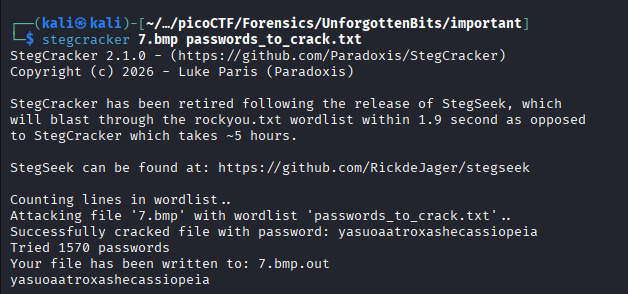
The password is yasuoaatroxashecassiopeia.
I tried to read 7.bmp.out, but it was encrypted:
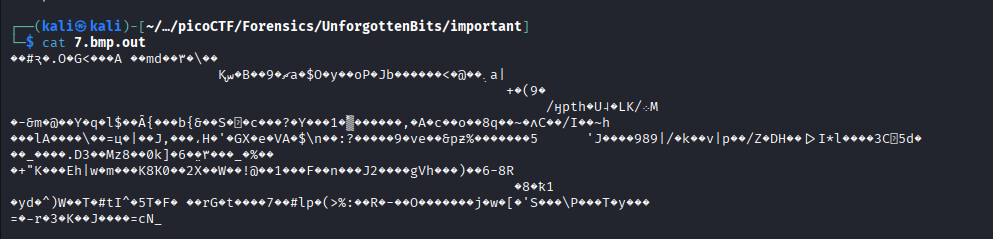
At this point, I could not find more information. Therefore, I decided to use Autopsy to continue analyzing.
I turned off “Hide slack files” option to look for slack files, since I could not find anything further before:
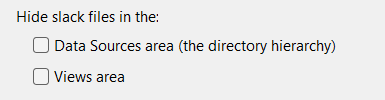
Click Tools -> Options -> View, you can find this option.
What is slack files?
When a file is saved in hard drive, the OS provides it clusters. Each cluster has a fixed size (such as 4096 bytes). Slack space (or slack files) is the gap between the end of that file and the end point of the last cluster that the file occupies. Hackers can make use of these empty space to hide sensitive data; or you may find parts of passwords, chat history, etc.
Browsing yone directory, I found a slack file that had 0s and 1s bit in /yone/notes/1.txt-slack:
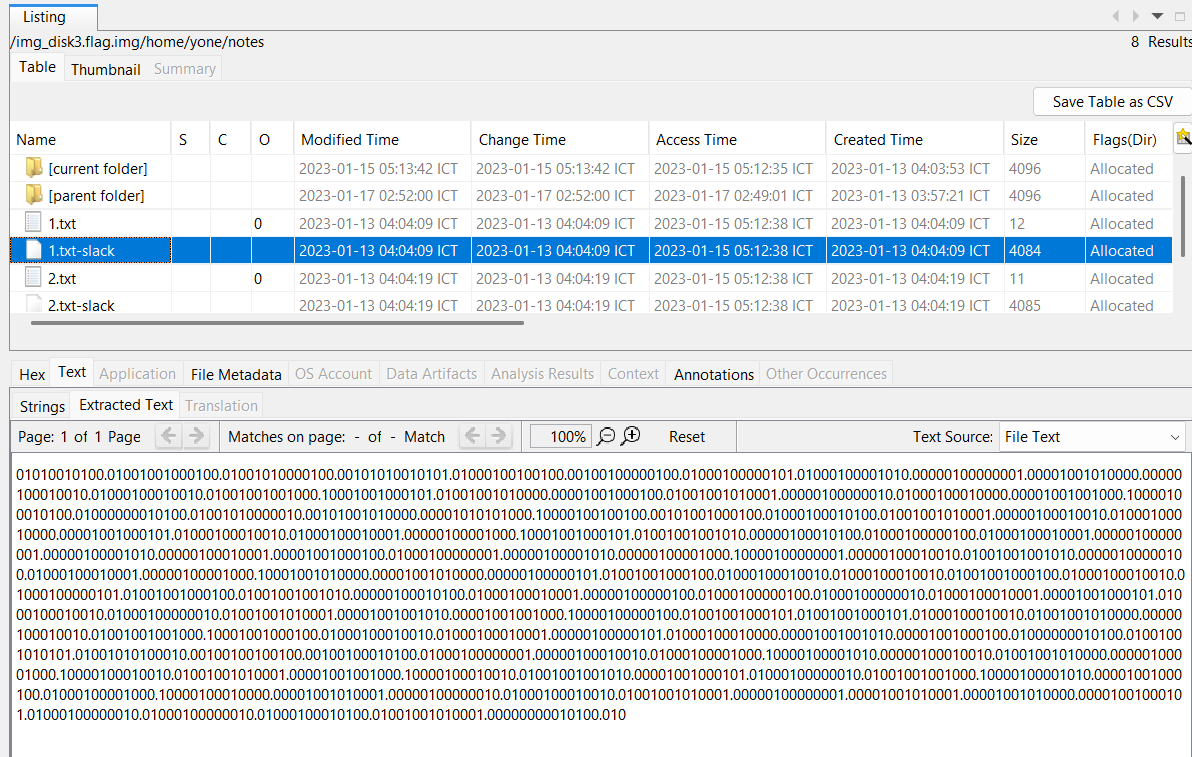
Do you still remember that we found the browsing history, which contained searches about encoding algorithms? This is the time for us to make use of it.
I explored each link and the last link owned the clue that we need:
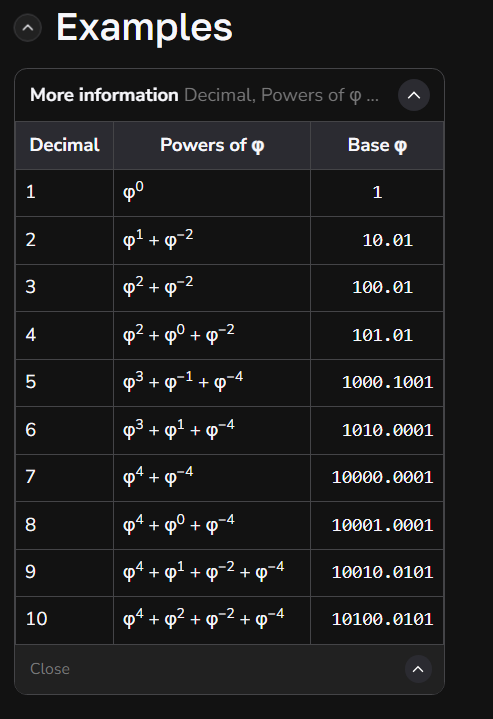
Feel familiar? The number format looks exactly the same as the slack file we just got. Now we got it: this slack file contains numbers that are represented in golden ratio base.
In the first line, we got:
“01010010100.01001001000100.”
The integer part contains 11 digit, so we can break this down to:
“01010010100.”
and
01001001000100.”
The second part contains 14 digits, so we cut three first digits to make it the decimal part of first part:
“01010010100.010”
So now we know the drill: Each number has 11 integer digits and 3 decimal digits, with a decimal point. In total, a number has the length of 15 character.
Our next work is to write a script that can decoding this file. I wrote one for myself using Python (once again):
1
2
3
4
5
6
7
8
9
10
11
12
13
14
15
16
17
18
19
20
21
22
23
24
25
26
27
28
29
30
31
32
33
34
35
36
37
38
39
40
41

import math
phi = (1 + math.sqrt(5)) / 2

#Read data (get rid of newline)
with open("1slack.txt", "r") as f:
    #readlines(): reads the input and returns a list
    #[0]: reads only the first line and returns a string
    #strip(): remove newline
    slack = f.readlines()[0].strip()

ans = ""

#Loop over the numbers. There are 11 digits in the integer part and 3 in decimal part
for i in range(len(slack)//15):
    #Put the num in input
    input = slack[i*15 : (i+1)*15]

    #Integer part:
    integer = input[:-4] #The range is now 0:(15-4)
    decimal = input[-3:] #The range is now abs(3-15):15
    sum = 0

    for j in range(len(integer)):
        if(integer[j] == '1'):
            sum += pow(phi, 10 - j)

    for j in range(len(decimal)):
        if(decimal[j] == '1'):
            sum += pow(phi, -(j+1))

    #chr only accepts integer
    #Explain how Python's rounding works:
    #When x.5, round to the nearest even number (reason why we need +0.5)
    #Else: Over x.5: round to x+1, Under: round to x
    #This is also called as Banker's Rounding

    ans += chr(int(sum + 0.5))

print(ans)
Run the script, and you will eventually got another AES encryption configuration:
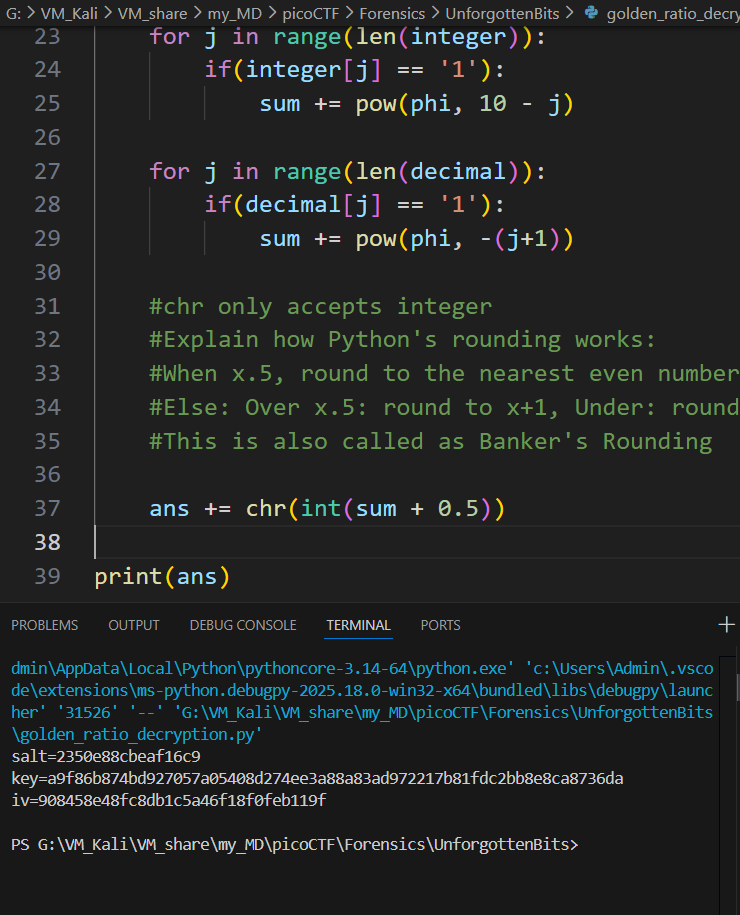
salt=2350e88cbeaf16c9 key=a9f86b874bd927057a05408d274ee3a88a83ad972217b81fdc2bb8e8ca8736da iv=908458e48fc8db1c5a46f18f0feb119f
Using this config, I executed:
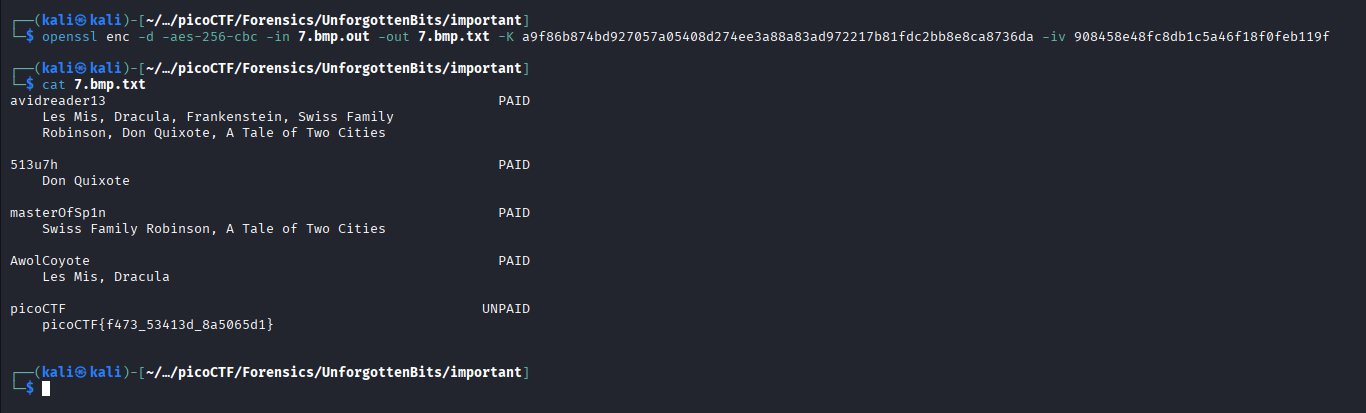
openssl enc -d -aes-256-cbc -in 7.bmp.out -out 7.bmp.txt -K a9f86b874bd927057a05408d274ee3a88a83ad972217b81fdc2bb8e8ca8736da -iv 908458e48fc8db1c5a46f18f0feb119f
… and got a .txt. I got the flag after cat-ing it:
Flag
picoCTF{f473_53413d_8a5065d1}
DISCLAIMER: The code at the end of the flag may vary between versions, which means it is due to change. The flag provided in this writeup may not valid in the future.
Commands/Tools used
Commands/Tools Purpose(s) fdisk -lDisplay the partition list of the disk image. ddCopy a partition in a disk image and export it. fls -rDisplay all files and directories in a partition. icatExtract file from a partition. Autopsy Basically Sleuthkit but has GUI. opensslEncrypt and decrypt file steghideExtract stego-file(s) using password stegcrackerBruteforcely way to extract stego-file(s) with provided passwords list.
Key takeaways/Lessons learned
- Slack space: Carefully check slack space for hidden data.
- Python’s importance: Utilize Python for autonomous work, which can save us time.