picoCTF 2022 - Sleuthkit Apprentice
Write-up | BlueTeamLabs | Memory Analysis - Ransomware
The link to the challenge is here
Description
Download this disk image and find the flag.
Initial look
We are provided a .img file, which is a disk image. Basically, we will need to use Sleuthkit to solve this. Now let’s begin.
Walkthrough
NOTE: Please put all the outputs in .txt files for smooth analysis. The syntax is > <file_name>.txt.
1. mmls
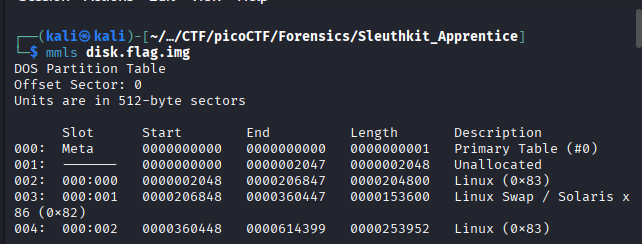
We will start with mmls. This command will show displays the contents of a volume system and where each partition starts and ends within that disk image [1] .
The command that we will execute is mmls disk.flag.img
To get more general details and information about all partitions, we can do fsstat -o 2048 disk.flag.img.
We use -o 2048 because the start of a physical disk is not the File System. We need to start from the partition where the OS is located, which is 2048.
However, when I read some write-ups, it seems like the command does not help much, so I will skip it.
2. fls
fls, stands for “File listing”, is a command used to list file and directory names in a disk image [2].
We will do fls -o 2048 disk.flag.img first:
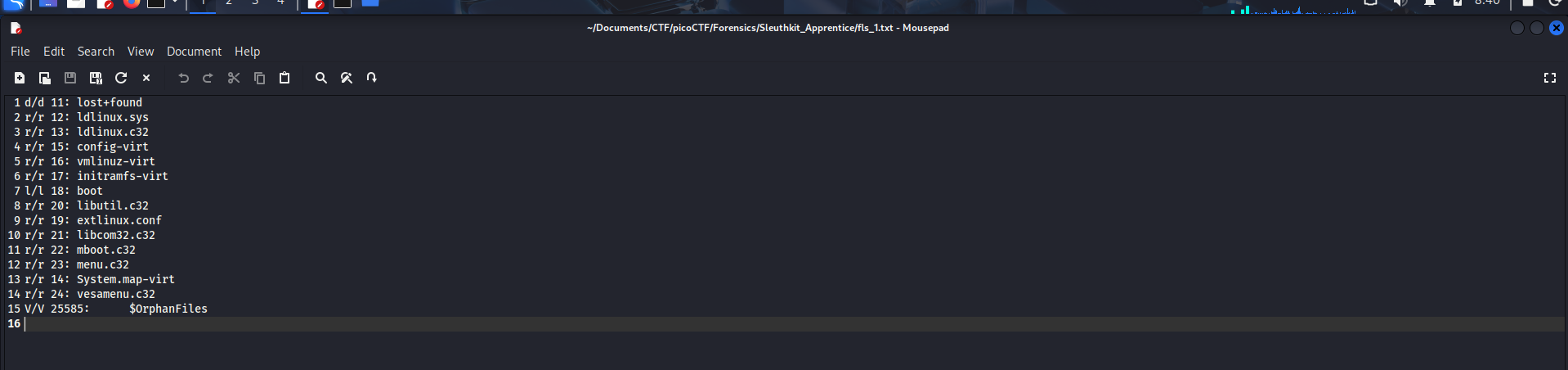
There’s nothing special here, so we will take a look at another partition.
If you are going to analyse the Linux Swap / Solaris x86 (0x82), here is the thing: You can’t.
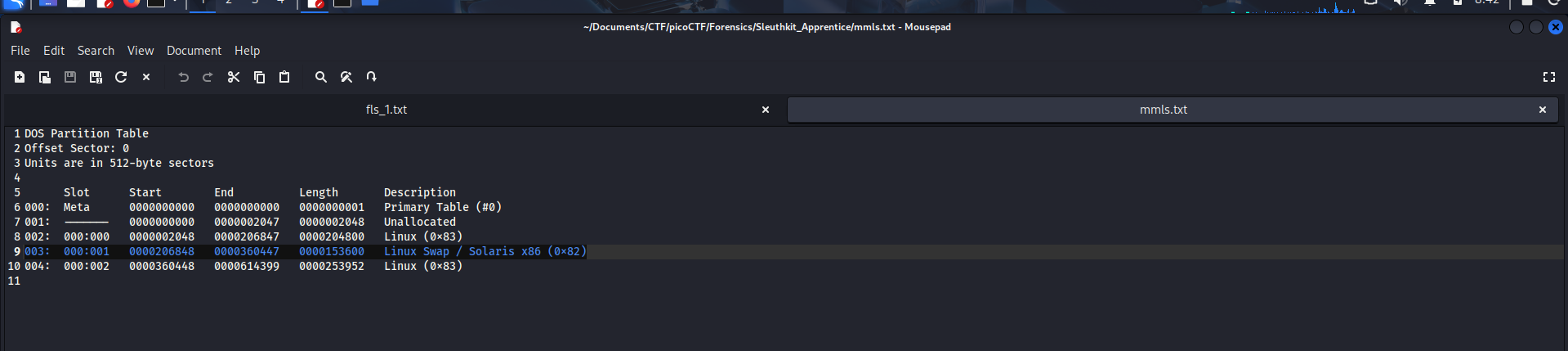
This partition is specifically used as Virtual RAM in case of RAM overload, so there’s nothing such as Inode/MFT (do some research if needed) for fls to work with it. For that reason, we skip this paritition.
Our attention is now for the last partition:
004: 000:002 0000360448 0000614399 0000253952 Linux (0x83)
Do fls -o 360448 disk.flag.img
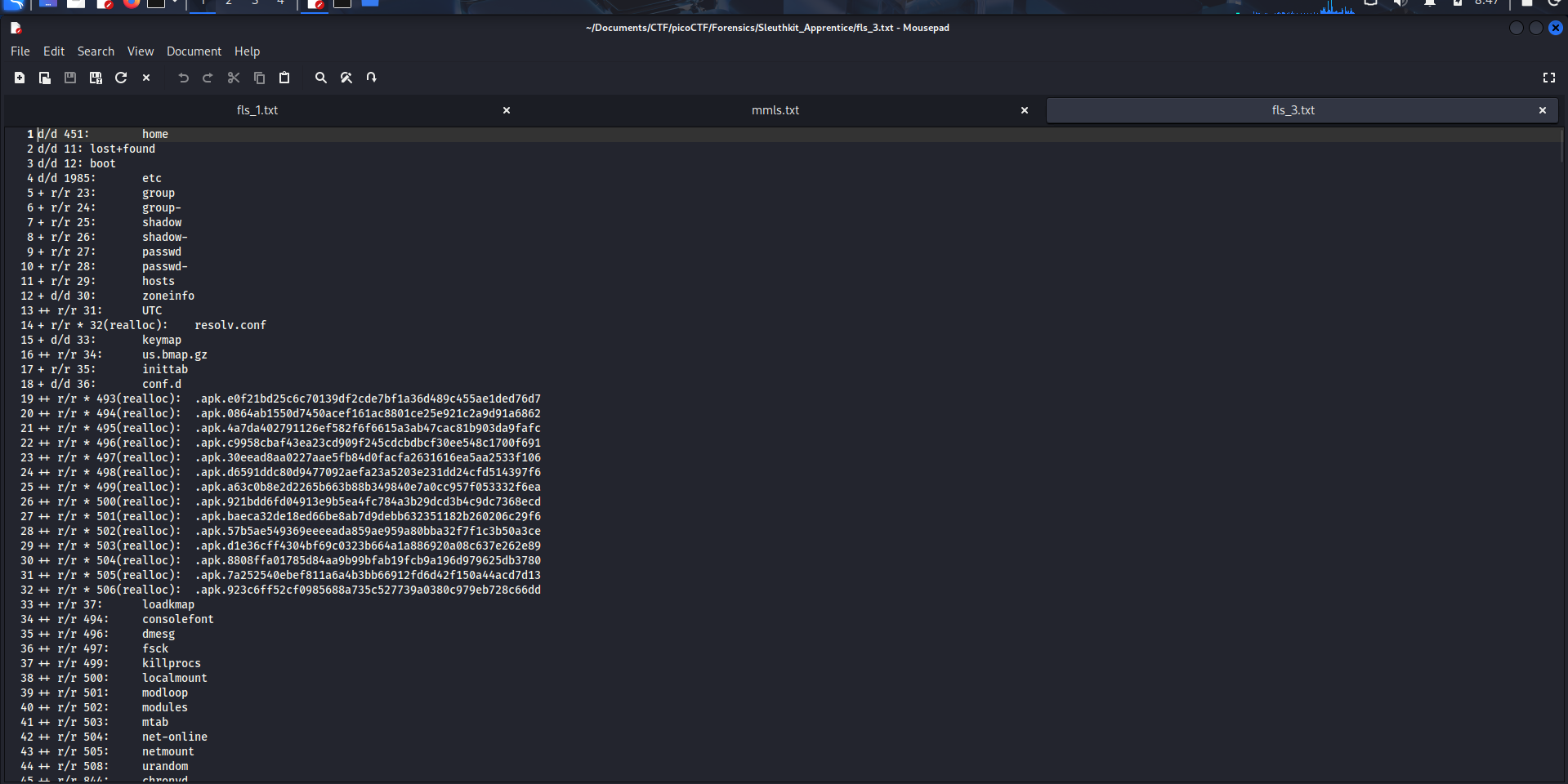
There are so much things here, so I try to grep the output.
The command is grep "flag" <your_fls3_output_file>.txt

Now we got two suspicious .txt files. Let’s get the content of these two.
3. icat
icat is used to output the contents of a file based on its inode number icat -o <img-offset> <image-name> <inode-number> [3].
To get the result, we just need to do:
icat -o 360448 disk.flag.img 2082
and
icat -o 360448 disk.flag.img 2371
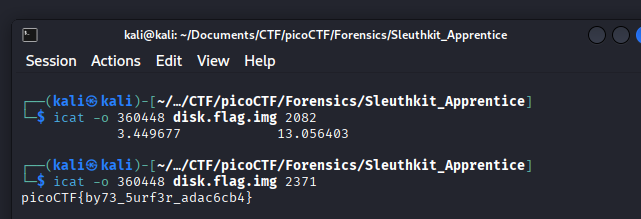
The flag is picoCTF{by73_5urf3r_adac6cb4}.