picoCTF 2019 - shark on wire 1
Write-up | picoCTF 2019 | shark on wire 1
Description
We found this packet capture. Recover the flag.
Hint: Try using a tool like Wireshark, What are streams?
Walkthrough
Let’s open the provided file, which is capture.pcap, in Wireshark. Remember to set the packet presentation in chronological order:
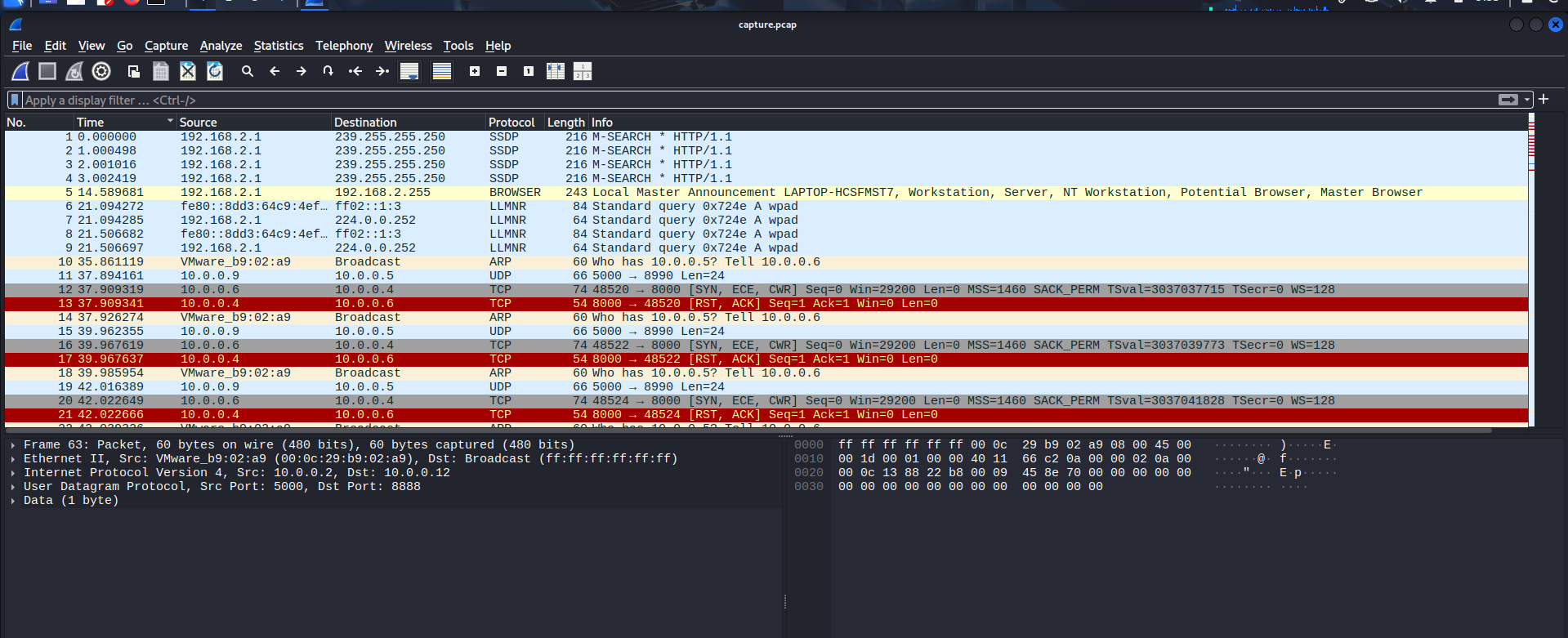
Surfing through some packets at the beginning, I started to notice that some UDP packets had plaintext like these:


So I decided to follow one UDP packet.
But how to follow a packet?
Right-click the packet that you want to follow -> Click
Follow-> Choose the stream that you want (in this case, clickUDP stream).
Right-click the packet that you want to follow
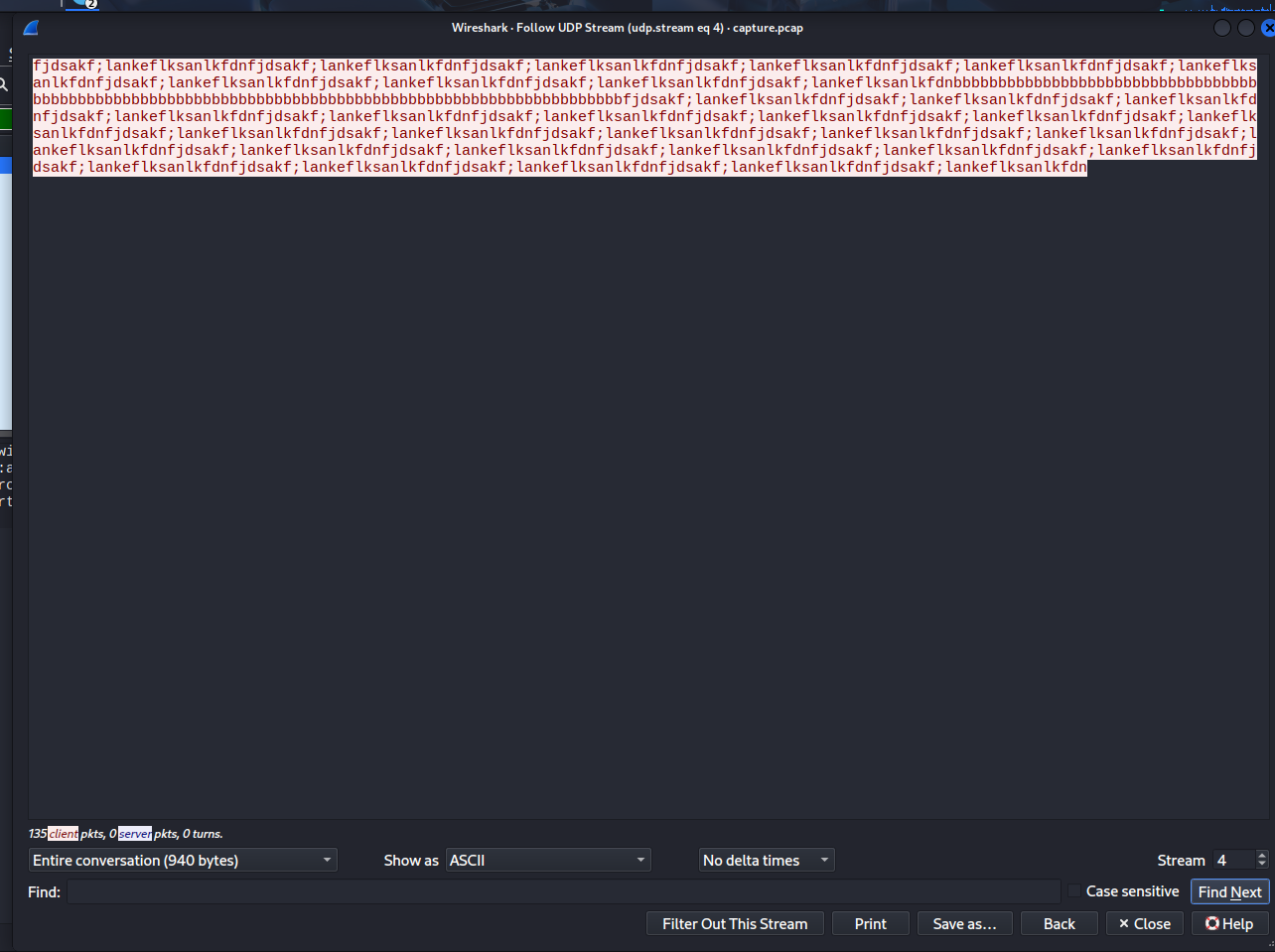
This was just a nonsense text. However, after I closed this window and check other UDP packets (type “udp” in the filter box), I noticed the flag was segmented in packets that had the text length of 1:
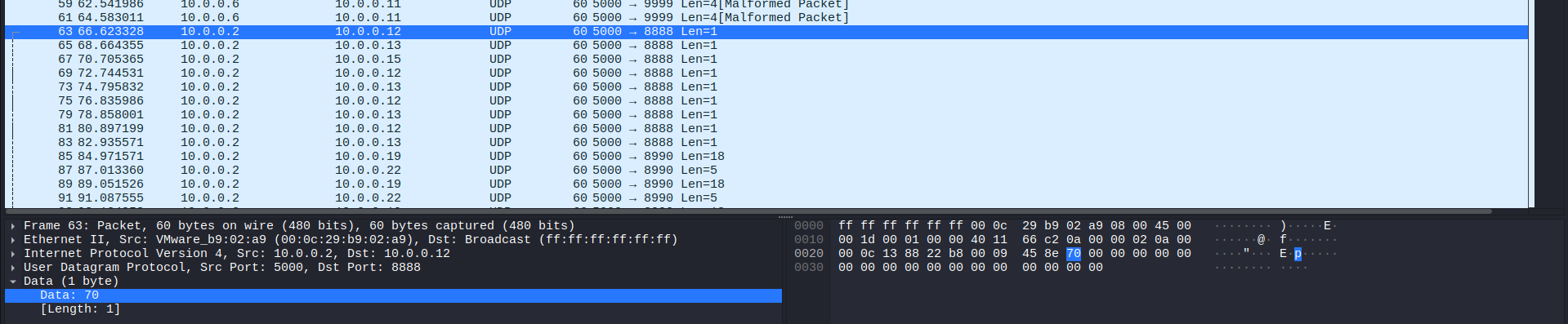
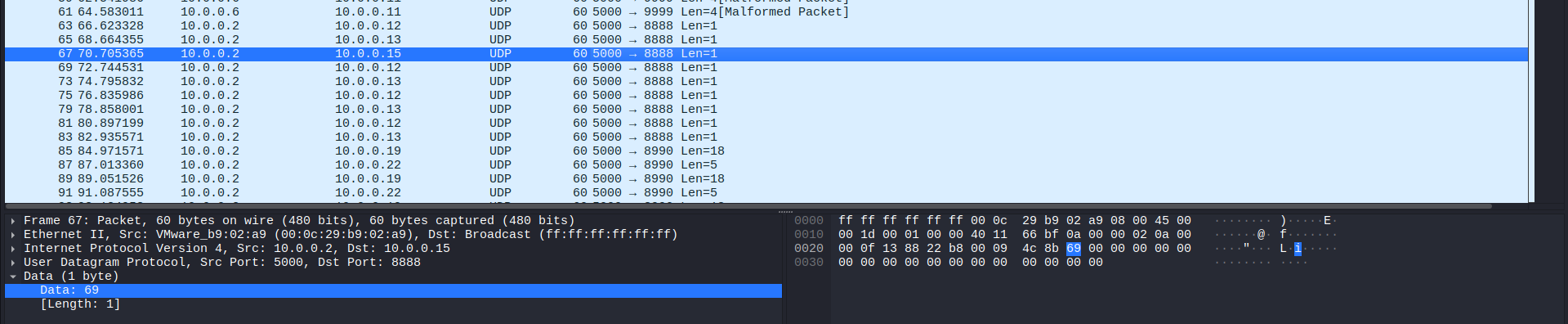
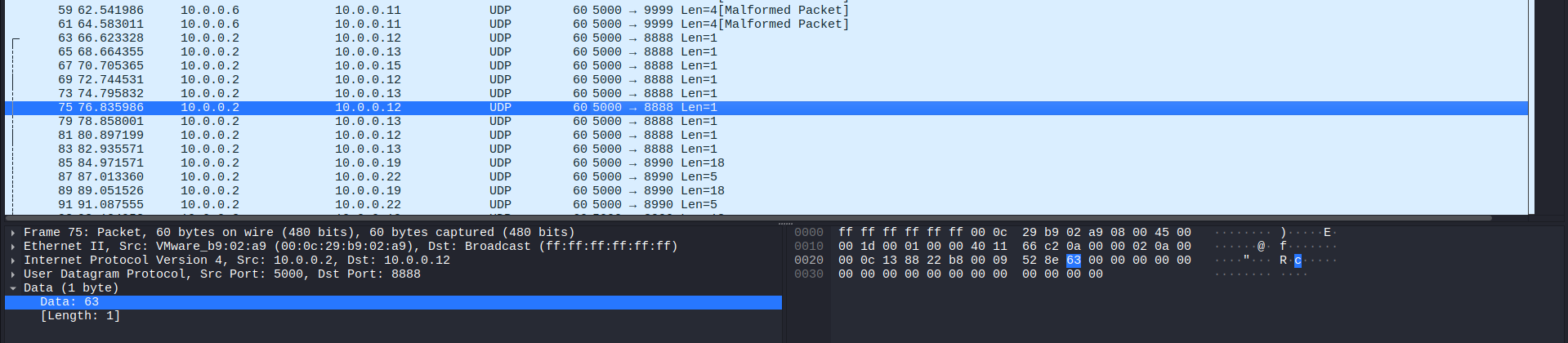
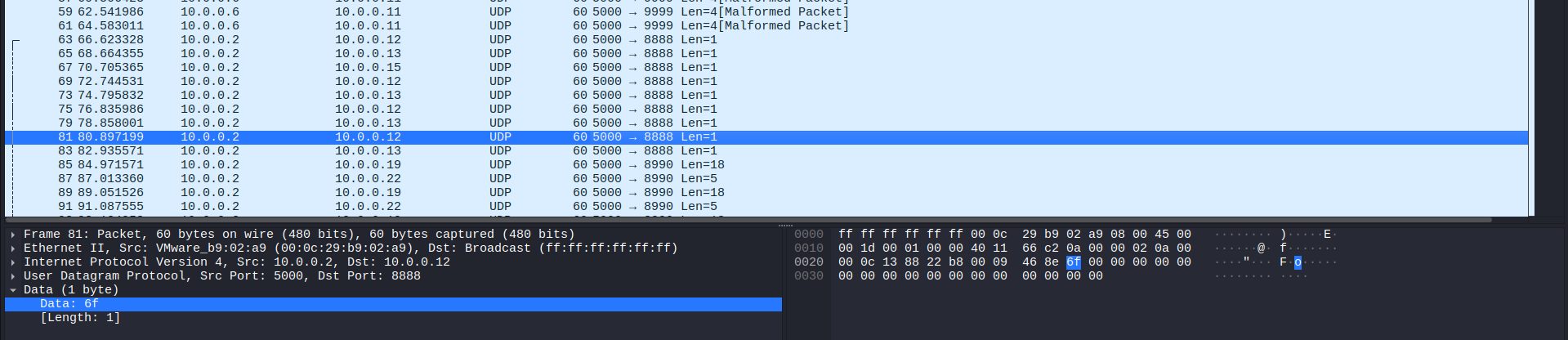
Combining these, we can get the word “pico”. Also, if you take a look at “Malformed packet” labeled packets and follow them, it will show not only 1 “pico”, but 4 “pico” words. It will not provide you more information other than this:

The next step is to follow packets that has text length of 1. I did by writing this in the filter:
udp.length == 9
In UDP protocol, “Length” includes 8 Header bytes and X payload (data) bytes. Regarding our case, the text length is 1, so 8 + 1 = 9.
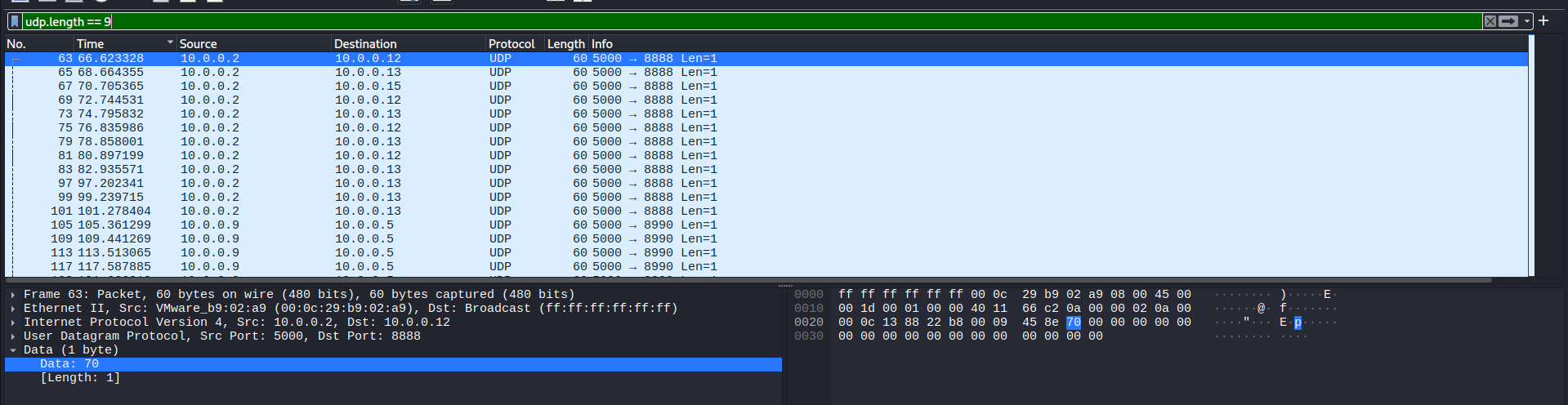
Now we follow a random packet among these, and the flag will be revealed:
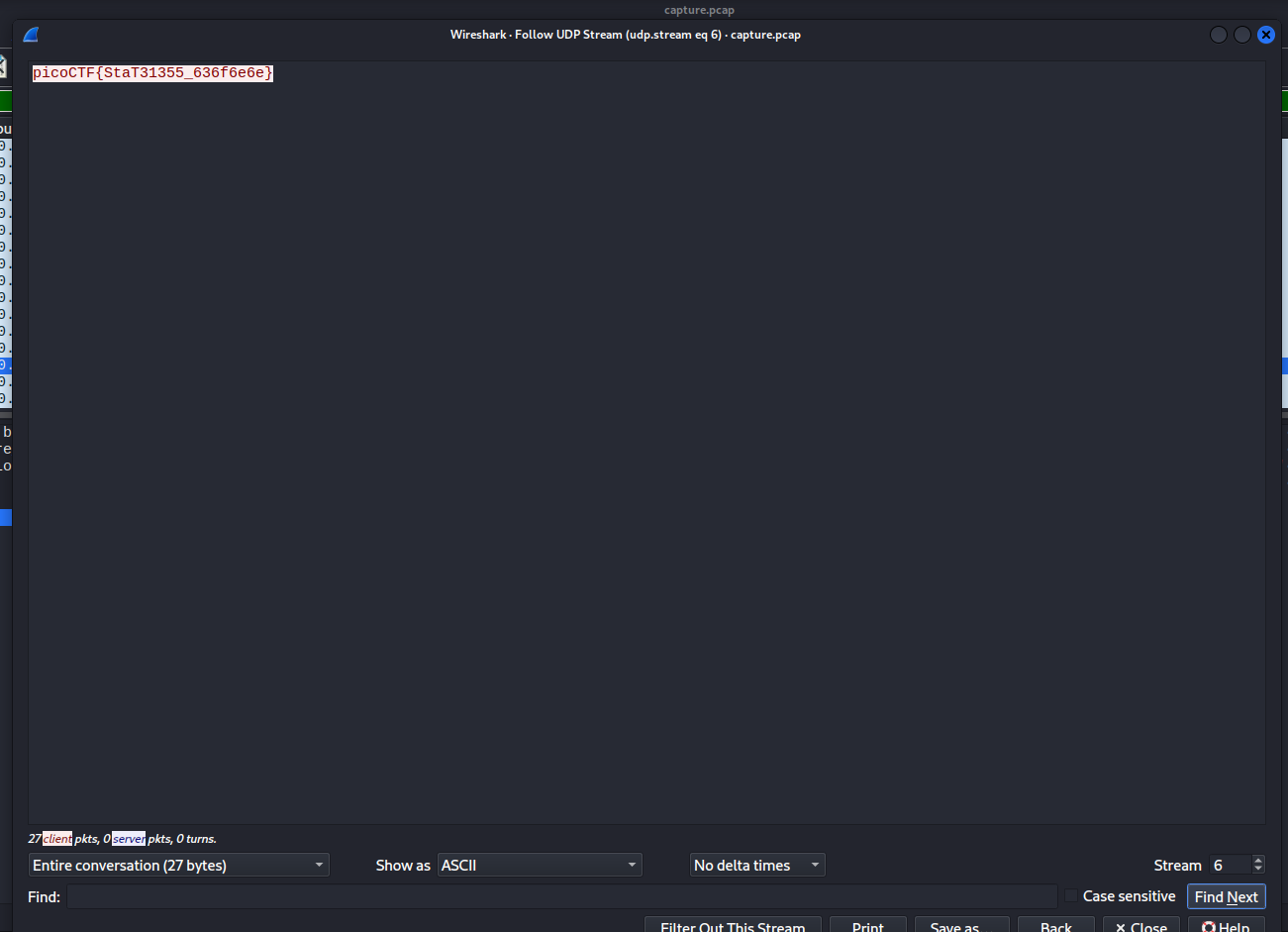
Flag
picoCTF{StaT31355_636f6e6e}
DISCLAIMER: The code at the end of the flag may vary between versions, which means it is due to change. The flag provided in this writeup may not valid in the future.
Commands/Tools used
Commands/Tools Purpose(s) Wireshark A tool to analyse captured network packet ( .pcapand.pcapngfiles)
Key takeaways/Lessons learned
- Protocol structure: Understand the fact that UDP header accounts for 8 bytes, which helps us create custom filter (
udp.length == 9). - Utilize Wireshark’s filter: This challenge demonstrates the importance of using filter effectively to reduce noise and isolate suspicious packets.
- Data stream: Know how to use
Followto collect discrete data in the transmission and connect them to form human-readdable data.